Sky Glass IPTV Issues on Firestick (UK, US & EU Users) and How to Fix Them

Amazon Firestick is one of the most popular streaming devices for IPTV users in the UK, United States, and Europe. While Firestick offers excellent performance, IPTV users often face common technical issues that affect streaming quality. Below are the Sky Glass IPTV UK Issues on Firestick, along with easy and practical solutions.
1. IPTV App Not Installing on Firestick
Issue: IPTV APK fails to install.
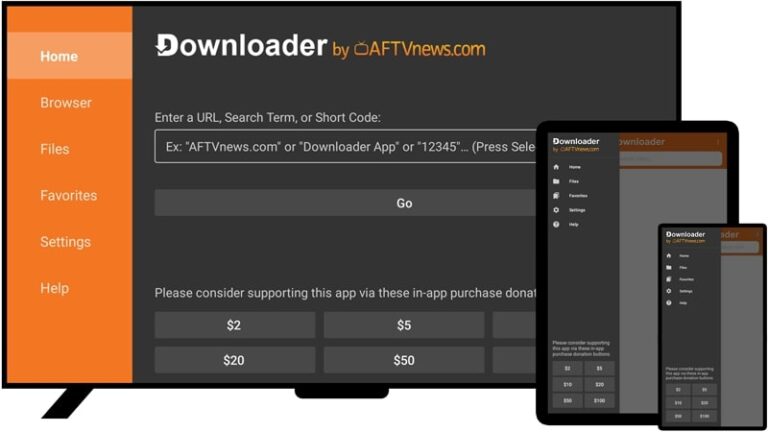
Solution: Enable Install Unknown Apps from Settings → My Fire TV → Developer Options and allow permission for Downloader.
2. “App Not Installed” Error
Issue: Installation stops or fails.
Solution: Ensure enough storage is available, clear cache, and install a Firestick-compatible APK version. Also delete one or two apps to make some space.
3. IPTV Login or Authorization Failed
Issue: Errors like “Authorization failed for above host”.
Solution: Recheck login credentials and server URL. Contact your IPTV provider to confirm subscription status and get IPTV Smarters Authorized URL.
4. Constant Buffering or Freezing
Issue: Streams pause frequently.
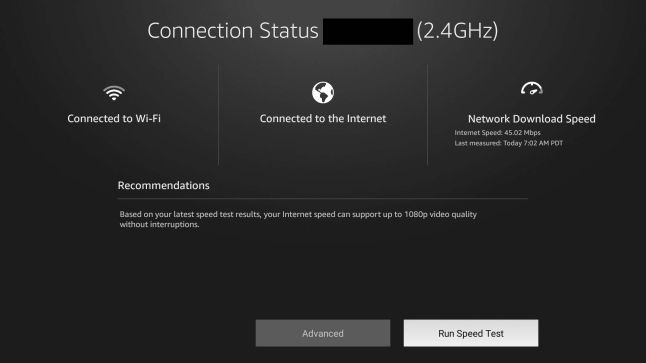
Solution: Use at least 20–30 Mbps internet, especially recommended for UK & EU HD channels. Prefer Ethernet or 5GHz Wi-Fi.
5. Black Screen with Audio Only
Issue: Audio works but no video.
Solution: Switch the video player inside the IPTV app (hardware/software decoding) and restart Firestick.
6. Channels Not Loading or Stuck on Loading
Issue: Channels keep loading endlessly.
Solution: Restart Firestick and router. Change DNS to Google (8.8.8.8) or Cloudflare (1.1.1.1), widely effective in EU regions.
7. IPTV App Crashing or Closing Automatically
Issue: App shuts down randomly.
Solution: Clear app cache, close background apps, and reboot Firestick to free RAM.
8. EPG (TV Guide) Not Showing
Issue: Channel list shows but no guide data.
Solution: Refresh EPG inside the app or wait for the provider’s daily EPG update.
9. Low Storage Warning on Firestick
Issue: Firestick storage fills quickly.
Solution: Delete unused apps and clear IPTV VOD cache. Keep at least 2 GB free space.
10. IPTV Works on Other Devices but Not Firestick
Issue: IPTV runs on mobile or Smart TV but not Firestick.
Solution: Update Firestick OS, reinstall the IPTV app, and ensure compatibility with Firestick firmware.
Final Tips on Sky Glass IPTV UK Issues on Firestick
- Use Firestick 4K or 4K Max
- Restart Firestick weekly
- Avoid overloaded IPTV servers
- Prefer wired internet for stable streaming