“This Video Has Been Restricted” Error – Cloudflare IPTV Streaming Issue Explained (Solutions for End Users)
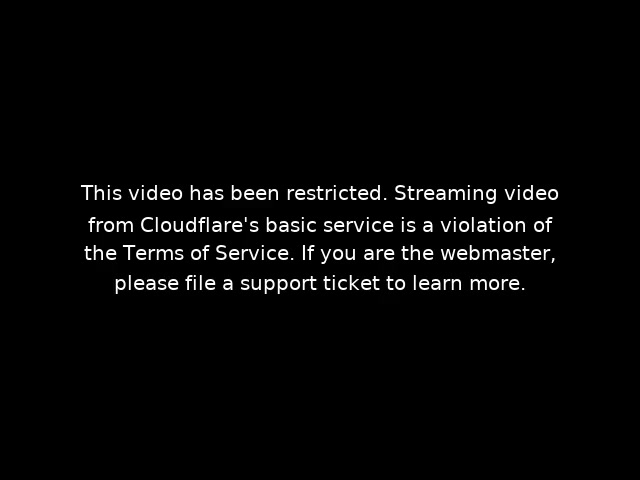
Many IPTV users occasionally face Video restricted cloudflare error a frustrating error message for users. Its exactly error is as follow:
“This video has been restricted. Streaming video from Cloudflare’s basic service is a violation of the Terms of Service.”
This issue has become increasingly common and usually appears suddenly, even when the IPTV service was working perfectly before. Sky Glass IPTV UK users face same error like the every other IPTV Server. For end users, this can be confusing and alarming, but the good news is that the problem is technical in nature and can usually be resolved quickly.
Why Video restricted cloudflare error Occurs?
Most IPTV services use online domains to stream live TV channels, movies, and series. To boost performance and keep their servers safe, many IPTV providers link their domains to Cloudflare, a well-known CDN and security service.
Cloudflare’s Basic (Free) Service does not allow high-volume video streaming. IPTV traffic creates heavy data loads because many users are streaming simultaneously. If Cloudflare notices this ongoing bandwidth use, it flags the domain as a streaming service. Then, to follow its Terms of Service and copyright rules, Cloudflare may limit or block access to that domain.
This action is automated and does not mean that:
- Your internet connection is faulty
- Your IPTV app is broken
- Your subscription has expired
The restriction is applied directly at the domain level.
Common Symptoms IPTV Users See
- Channels stop loading suddenly
- Movies or series fail to play
- IPTV apps show “Authorization Failed” or “Video Restricted” errors
- Service works on one day and stops the next
These symptoms usually indicate that the IPTV provider’s domain has been restricted by Cloudflare.
How IPTV End Users Can Fix This Issue
If you use IPTV, you won’t be able to fix this problem yourself since it depends on the server settings. Still, there are some easy and effective steps you can try:
- Contact Your IPTV Provider Immediately
Inform them about the Cloudflare restriction error. Reputable IPTV providers are already familiar with this issue. - Request a New Streaming Domain
Most providers maintain backup domains. Switching to a new domain instantly resolves the problem in most cases. - Ask for Cloudflare Reset or Migration
The provider may reset the existing Cloudflare account or move the domain to a streaming-friendly configuration. - Update App or Portal URL
Once a new domain is provided, update it in your IPTV app (such as IPTV Smarters, IBO Player, or similar apps).
Can This Issue Happen Again?
Yes, it can. If an IPTV provider repeatedly uses Cloudflare’s basic service for streaming, the restriction may return. Reliable providers usually:
- Use premium CDN solutions
- Rotate domains proactively
- Avoid Cloudflare’s free streaming limitations
Final Thoughts
The “This video has been restricted” Cloudflare error is a common problem for IPTV streaming. This issue happens because of Cloudflare’s automated streaming policies, not anything you did. The quickest and safest fix is to contact your IPTV provider and ask for a new working domain.
If your provider responds quickly and offers regular domain updates, you can continue enjoying uninterrupted IPTV service without long-term issues.