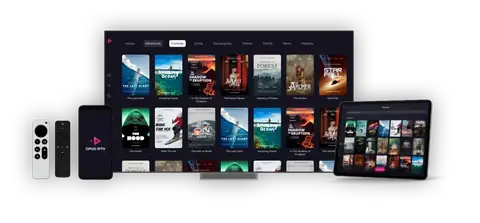
Compare the available IPTV subscription options and choose a plan that fits your viewing needs and budget. Before ordering, check the total price, actual access period, room arrangement, permitted simultaneous connections, compatible devices and the applicable renewal, cancellation and refund terms.
Confirm the final amount and the exact access period at checkout or with support before making a payment.
The following plans are listed as single-room subscriptions. One login works on one device at a time. Confirm the precise connection limit and package terms before ordering.
Multi Room Subscription
Note: Multi Room Sky Glass IPTV Subscription Only Work On Same Wifi Connection. For Different wifi, you have to purchase different logins, and it cost a little bit extra than a multi-room connection.
12 months + 1 month free
£45
Best for: Customers who have assessed the service and prefer an annual plan.
Duration:12 months
Rooms:Single Room
Devices:Fire TV, Android TV, Smart TVs, phones, tablets and computers (check your model)
Connections:1 Login works for 1 device only at a time
Renewal:check the published subscription conditions
An annual IPTV subscription may suit customers who are comfortable with the service terms and expect to use the package throughout the year. Compare the upfront cost carefully and confirm what happens if you need to cancel early.
6 months + 1 month free
£30
Best for: Customers considering a longer subscription period.
Duration:6 months
Rooms:Single Room
Devices:Fire TV, Android TV, Smart TVs, phones, tablets and computers (check your model)
Connections:1 Login works for 1 device only at a time
Renewal:check the published subscription conditions
A six-month IPTV plan can provide a longer viewing period between renewals. Before purchasing, compare its total cost with shorter plans and confirm the refund, cancellation and renewal conditions.
3 months
£20
Best for: Viewers looking for a medium-term option.
Duration:3 months
Rooms:Single Room
Devices:Fire TV, Android TV, Smart TVs, phones, tablets and computers (check your model)
Connections:1 Login works for 1 device only at a time
Renewal:check the published subscription conditions
A three-month subscription may suit households that prefer to review their entertainment arrangements over a longer period without immediately committing to a full year.
Compare the total cost with the monthly option and check whether the package includes the same features and connection limits.
1 month
£10
Best for: Viewers who prefer a shorter subscription period.
Duration:1 month
Rooms:Single Room
Devices:Fire TV, Android TV, Smart TVs, phones, tablets and computers (check your model)
Connections:1 Login works for 1 device only at a time
Renewal:check the published subscription conditions
A monthly IPTV subscription gives you a shorter initial commitment than a longer plan. It can suit customers who want to assess device compatibility, available content and the overall viewing experience before making a longer-term decision.
Multi-Room UK IPTV Subscription Options
If you want to use the service in more than one room, compare the multi-room options below. A multi-room subscription works only when the rooms use the same Wi-Fi connection. Different Wi-Fi connections require separate logins and may cost a little extra. Confirm the current rule, technical requirements and any additional cost with support before ordering.
Rooms
12 Months
6 Months
3 Months
1 Month
Single Room
£45+1 month free
£30+1 month free
£20
£10
Double Room
£70
£50
£30
£15
Triple Room
£90
£60
£40
£20
Five Room Family Pack Deal
£120
£80
£60
£25
Before you pay: Confirm the final price, subscription duration, permitted simultaneous streams, available content and refund policy. A longer plan is not automatically better value for every household.
How to Choose the Right IPTV Subscription
01
Compare the full price
Check the amount payable now and the actual access period. Make sure any 'extra month free' offer is explained consistently.
02
Check rooms and simultaneous connections
Confirm how many rooms are included and how many devices may stream at the same time. A room allowance and a simultaneous-stream allowance are not necessarily the same thing.
03
Confirm the content you want
Check the current catalogue for channels, sports, films or programmes that matter to you. Availability can change, and content should only be supplied where the provider has the necessary authorisation.
04
Verify device compatibility
Make sure your TV, streaming device, phone, tablet or computer supports the required player.
05
Read the terms
Review renewal, cancellation, refund and privacy information before payment. Ask support to clarify any term you do not understand.
06
Understand activation and support
Check how activation details are provided and how to contact support about billing, account access or setup.
Devices and Compatibility
Your setup depends on the device model, operating system and compatible IPTV player. Check the relevant installation instructions before purchasing.
Fire TV and Fire TV Stick
Check model-specific application support and follow the installation method provided for your device.
Android TV and Android boxes
Confirm software requirements and the supported application or installation process.
Samsung and LG Smart TVs
Check the television's application store and operating system. If the required player is unavailable, a separate compatible streaming device may be needed.
Phones and tablets
Confirm that your Android or Apple device supports the required player and that the subscription suits your intended setup.
Windows and Mac computers
Use a compatible player and keep your account credentials secure.
Choose a duration and room option after checking the full price and access period.
2
2. Confirm your setup
Check device compatibility and the number of simultaneous connections you need.
3
3. Review the service terms
Read the content, renewal, cancellation, refund and privacy information.
4
4. Complete your order
Use the available checkout or contact process. Confirm the final price and duration before paying.
5
5. Follow the installation guide
Use the correct instructions and the account details supplied with your subscription.
6
6. Test your setup
Check playback on your device and internet connection. If you experience problems, use the troubleshooting guidance or contact support.
Frequently Asked Questions About IPTV Subscriptions
The single-room prices are £10 for one month, £20 for three months, £30 for six months plus one month free, and £45 for twelve months plus one month free. Confirm the final price and exact access period before payment.
Choose according to your budget, intended usage and confidence in the service. A shorter plan involves a smaller initial commitment, while a longer plan requires you to consider the total upfront cost and cancellation terms.
Not necessarily. Compare the total cost, actual access period, package features and applicable terms. Choose a longer commitment only if it suits your needs.
The price list includes double-room, triple-room and five-room options. Multi-room use works only on the same Wi-Fi connection. Confirm the technical setup and connection limits with support before ordering.
Different Wi-Fi connections require separate logins and may cost a little extra. Confirm the current rule and any additional cost before purchase.
The single-room plan details state that one login works on one device at a time. Confirm the simultaneous-stream limit for your exact package, especially for multi-room use.
Compatibility varies by model, operating system and application availability. Check the installation guide and your television's application store before purchasing.
Follow the activation instructions supplied with your order. The process depends on the service and compatible player. Use only the account details and setup instructions provided for your subscription.
Requirements vary with resolution, bitrate and network conditions. A stable connection matters as well as headline speed. Check the provider's recommendations for your intended picture quality.
Cancellation and refund rights depend on the published terms and applicable consumer law. Read the policy before purchasing and contact the provider if you need clarification.
Choose Your UK IPTV Subscription
Compare the single-room and multi-room options, confirm the total cost and access period, and check device compatibility and connection limits before placing your order. If you are unsure which package fits your household, contact support for clarification before paying.